API Authentication
All GraphQL queries to the Nostalgia API require authentication. Unauthenticated POST requests are blocked with a 403 Forbidden response.
No Public Access
There is no anonymous or public access to the GraphQL API. Every query must include a valid API key in the Authorization header.
Authentication Methods
There are two ways to authenticate:
| Method | Format | Lifetime | Use Case |
|---|---|---|---|
| API Key | Bearer nlk_... |
Permanent (until rotated) | Scripts, integrations, CLI tools |
For most users and developers, API keys are the recommended method.
Getting an API Key
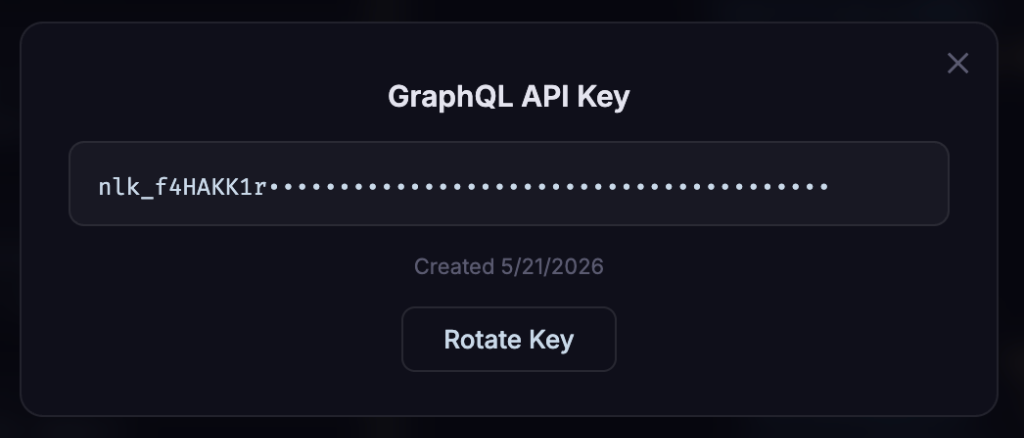
- Log in to any Nostalgia Lab service (e.g., search.nostalgialab.org or api.nostalgialab.org) using Google, Microsoft, or Discord
- Click the Key icon in the top navigation bar
- Click "Generate Key" in the modal that appears
-
Copy the key immediately: it is displayed only once and cannot be retrieved later
-
The key format is:
nlk_followed by 48 alphanumeric characters (e.g.,nlk_aBcDeFgHiJkLmNoPqRsTuVwXyZ0123456789abcdefghij)
Warning
Your API key is shown only once when generated. If you lose it, you must rotate (regenerate) your key, which immediately invalidates the old one.
Using Your API Key
Include your key in the Authorization header of every request:
cURL Example
curl -X POST https://api.nostalgialab.org/ \
  -H "Content-Type: application/json" \
  -H "Authorization: Bearer nlk_YOUR_API_KEY_HERE" \
  -d '{"query": "{ releases(system: \"NES\", limit: 5) { title score } }"}'
JavaScript Example
const API_KEY = 'nlk_YOUR_API_KEY_HERE';

const response = await fetch('https://api.nostalgialab.org/', {
  method: 'POST',
  headers: {
    'Content-Type': 'application/json',
    'Authorization': `Bearer ${API_KEY}`
  },
  body: JSON.stringify({
    query: `{ releases(system: "NES", limit: 5) { title score developer } }`
  })
});

const data = await response.json();
console.log(data);
Python Example
import requests

API_KEY = 'nlk_YOUR_API_KEY_HERE'

response = requests.post(
    'https://api.nostalgialab.org/',
    json={
        'query': '{ releases(system: "NES", limit: 5) { title score developer } }'
    },
    headers={'Authorization': f'Bearer {API_KEY}'}
)
print(response.json())
API Key Details
| Property | Value |
|---|---|
| Format | nlk_ + 48 alphanumeric characters |
| Storage | SHA-256 hashed server-side (raw key never stored) |
| Cache | Validated keys cached in Redis for 300 seconds |
| Rotation | Via the Key modal: click "Rotate Key." Old key immediately invalidated. |
| Limit | One active key per account |
HTTP Status Codes
| Code | Meaning | What To Do |
|---|---|---|
| 200 | Success | Parse the JSON response body |
| 403 | Forbidden: no API key, invalid key, or blocked | Add Authorization: Bearer nlk_... header. Verify your key is correct and has not been rotated. |
| 500 | Internal server error | Retry after a few seconds. If persistent, report the issue. |
Troubleshooting
| Problem | Cause | Solution |
|---|---|---|
| 403 on every request | Missing or invalid API key | Ensure your Authorization header is Bearer nlk_... (note the space after "Bearer"). Verify the key has not been rotated. |
| 403 after key rotation | Old key was invalidated | Use the new key from the rotation. Old keys are immediately revoked. |
| Key shown as "exists" but you lost it | Key is displayed only once on generation | Click "Rotate Key" to generate a new one. The old key is invalidated. |