NostalgiaDB
NostalgiaDB provides free SQLite database archives for 45 gaming platforms. Download complete game metadata databases and query them locally with any SQLite tool.
Quick Start
- Go to nostalgialab.org and scroll to the Downloads section
- Log in with Google, Microsoft, or Discord (free, required for downloads)
- Click the download button for your platform -- a presigned link is generated instantly (valid 15 minutes)
- Open the
.sqlitefile in Beekeeper Studio or use Python/sqlite3
Login Required
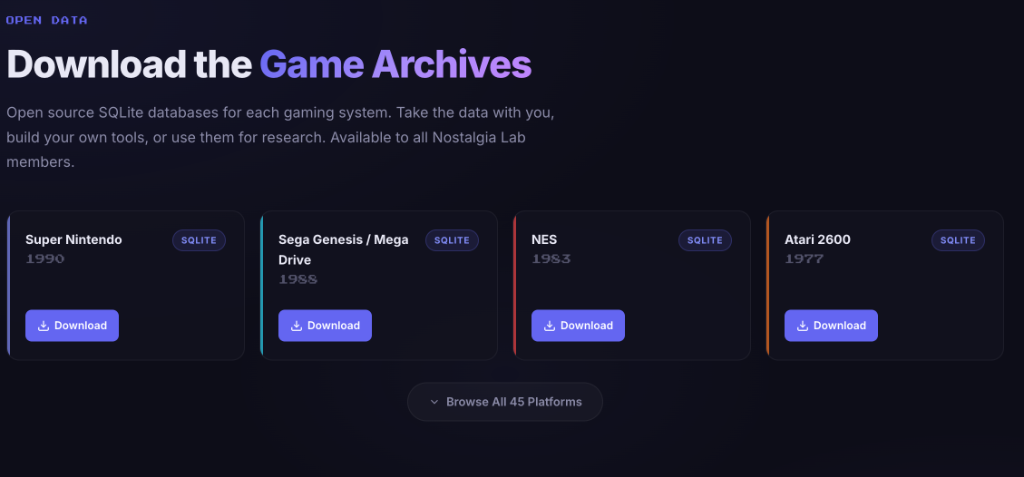
You must be logged in to download databases. The download endpoint requires an authenticated session to generate presigned S3 URLs.
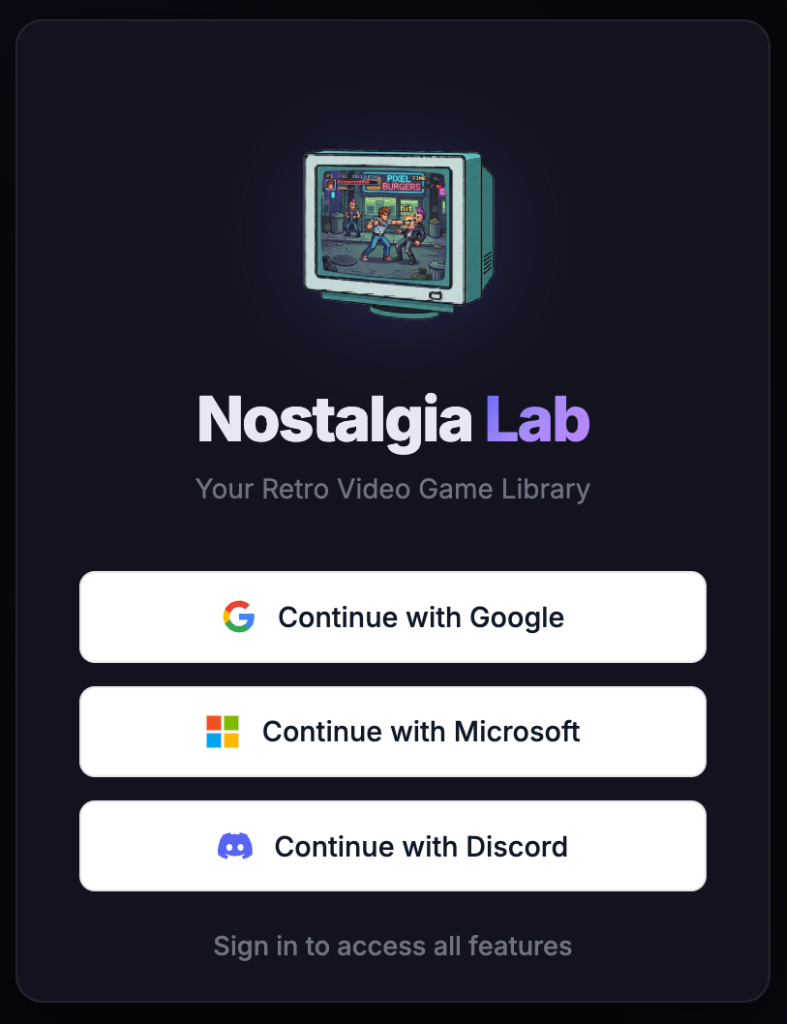
How to Download a Database
- Navigate to nostalgialab.org and go to the Downloads section
- Log in if not already authenticated (you are prompted automatically)
- Browse the 45 available platform tiles
- Click the download button for your desired platform
- The server generates a presigned S3 URL valid for 15 minutes (900 seconds)
- Download starts automatically in your browser
- Save the
.sqlitefile to your preferred location
Tip
If your session expires (401 error), you are prompted to re-login. Your pending download is saved automatically and retried after authentication.
Available Platforms
45 gaming platforms are available for download:
| Category | Platforms |
|---|---|
| Nintendo | NES, SNES, N64, NDS, 3DS, Game Boy, GBA, GBC, GameCube, Virtual Boy, FDS |
| Sega | Genesis / Mega Drive, Master System, Game Gear, Saturn, Dreamcast, Sega CD, 32X, SG-1000 |
| Atari | Atari 2600, Atari 5200, Atari 7800, Atari Jaguar, Atari Lynx |
| Sony | PlayStation, PS2, PSP |
| SNK | Neo Geo Pocket, Neo Geo Pocket Color |
| NEC | PC Engine, PC Engine CD, SuperGrafx |
| Other | 3DO, MAME, WonderSwan, WonderSwan Color, ColecoVision, Commodore 64, DOS, Vectrex, Intellivision, Odyssey 2, MSX, MSX2, Xbox |
Note
The download platforms (45) include more systems than Play (27), since you can download metadata for systems that cannot yet be emulated in the browser (e.g., PS2, Dreamcast, Xbox).
Download Details
| Property | Value |
|---|---|
| S3 bucket | nostalgia-lab-sqlite (OVHcloud S3) |
| URL lifetime | 15 minutes (900 seconds) |
| File format | .sqlite (SQLite 3 database) |
| File sizes | Varies from a few MB to 500+ MB depending on platform |
| S3 key pattern | {shortName}/{shortName}.sqlite (e.g., NES/NES.sqlite) |
Opening SQLite Databases Locally
Beekeeper Studio (Recommended)
Beekeeper Studio is a free, open-source SQL editor and database manager with a clean modern interface. The Community Edition is completely free and supports SQLite.
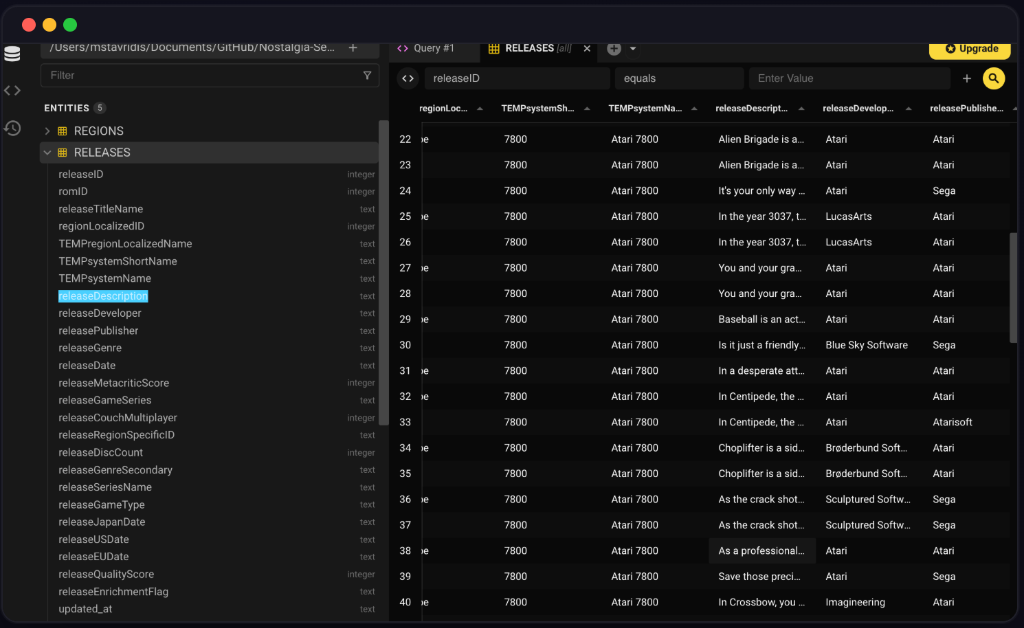
Setup steps:
- Download Beekeeper Studio Community Edition (free, Windows / Mac / Linux)
- Install and launch it
- Click New Connection
- In the Connection Type dropdown, select SQLite
- Click the folder icon next to Database File and browse to your downloaded
.sqlitefile (e.g.,NES.sqlite) - Click Connect
- Your tables appear in the left sidebar -- click
releasesto browse all game records - Click + New Query at the top to open the SQL editor and run your own queries
Tip
Press Ctrl+Enter (Windows/Linux) or Cmd+Enter (Mac) to run a query in Beekeeper Studio.
Python sqlite3
Built into Python -- no extra libraries needed.
import sqlite3

conn = sqlite3.connect('NES.sqlite')
cursor = conn.cursor()

# Find top-rated games
cursor.execute('''
    SELECT title, score, developer
    FROM releases
    WHERE score IS NOT NULL
    ORDER BY score DESC
    LIMIT 10
''')

for row in cursor.fetchall():
    print(f"{row[0]} - Score: {row[1]} - Developer: {row[2]}")

conn.close()
Command-Line sqlite3
# Open the database (sqlite3 is pre-installed on Mac and Linux)
sqlite3 NES.sqlite

# List all tables
.tables

# View the releases table schema
.schema releases

# Find top-rated games
SELECT title, score FROM releases WHERE score > 80 ORDER BY score DESC LIMIT 10;

# Exit
.quit
Tip
On Windows, download sqlite3 from sqlite.org/download.html (the "sqlite-tools" zip) and add it to your PATH.
Database Schema & Queries
For a complete reference mapping columns, data types, indexes, and relationship joins for tables like releases, roms, systems, and reviews, as well as advanced recipe queries, see the Database Schema Reference.
Troubleshooting
| Problem | Cause | Solution |
|---|---|---|
| Download link expired | Presigned URLs are valid for 15 minutes | Refresh the page and click the download button again to generate a new URL. |
| 401 error / login prompt | Session expired (sessions last 24 hours) | Log in again. Your pending download is saved and retried automatically. |
| Download fails or stops mid-way | Network interruption or large file size | Retry the download. Use a download manager for very large databases. |
| "Database disk image is malformed" | Incomplete download | Delete the file and re-download. Verify the file size matches expectations. |
| Cannot find tables | Unfamiliar with SQLite tools | Use .tables in the sqlite3 CLI, or check the Structure tab in Beekeeper Studio. |
| "Database is locked" in Python | Multiple connections open | Call conn.close() on all open connections. Only one write connection is allowed at a time. |
| File is 0 bytes | Network interruption during download start | Delete the empty file, refresh the page, and retry. |
About Nostalgia Lab
Nostalgia Lab is a non-profit media archival organization that preserves retro video games older than 20 years and makes them searchable, playable, and downloadable for its members.
Core Values
| Value | Description |
|---|---|
| Preservation | We archive games older than 20 years, preserved for all generations to come, so they are never lost to time, digital decay, or platform obsolescence. |
| Accessibility | Free access to data, free access to play. Search NostalgiaDB, stream classics in your browser, or download full SQLite databases. No paywalls, no subscriptions. |
| Community | Built by retro gaming fans, for retro gaming fans. Open access for everyone. Open database, open API, open community. |
| Transparency | Our data, our tools, and our platform are open so anyone can explore, build, and play the classics they love. |
Frequently Asked Questions
Is Nostalgia Lab free to use?
Yes. Nostalgia Lab is free to use. Most features, including Search, the API, and all SQLite database downloads, are publicly accessible with no account required. Some features, like the Play portal, require a free login. We are funded by voluntary donations via Ko-fi and Patreon.
Can I play classics on Nostalgia Lab?
Yes. Members can play retro games directly in their browser through the Nostalgia Play portal. No console required, no emulator setup, no extra software. Just log in and play the classics you grew up with.
Community
| Platform | Link | Purpose |
|---|---|---|
| Discord | discord.gg/Guuukt9zuR | Chat, support, bug reports |
| r/NostalgiaLab | Discussion and news | |
| Ko-fi | ko-fi.com/nostalgialab | One-time or monthly support |
| Patreon | patreon.com/nostalgialab | Monthly membership |